
3D Engineering Animations3.0 - App Store
You'll be able to see results in few seconds.
Publisher Description
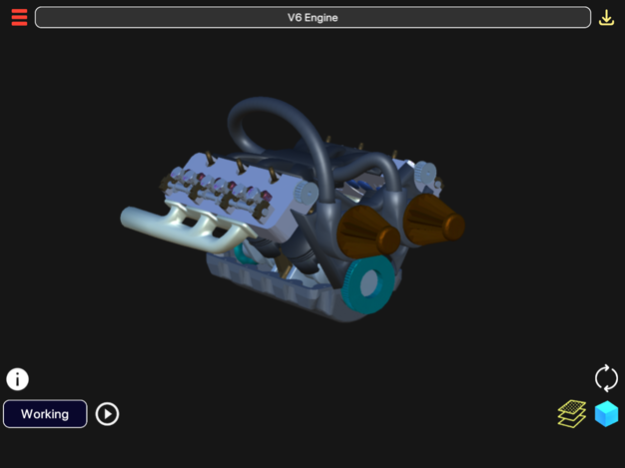
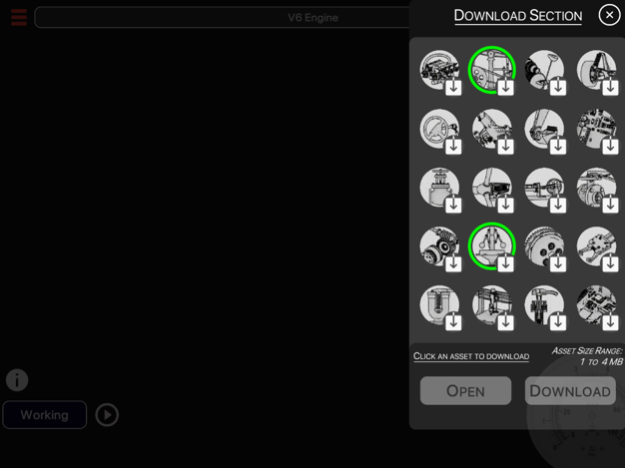
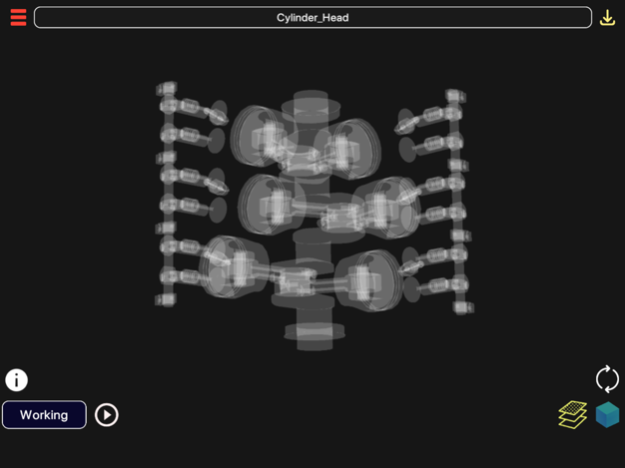
Learning in 3D with all new UI
"3D Engineering Animations" provides information, visualization and animations on 3D models, which can be downloaded within the app. A 3D interactive model helps to visualize working mechanisms from all sides. Models can be rotated, enlarged and panned.
Features:
1. Enable/disable 3D parts to see the parts which exactly you want to view.
2. Information of each 3D models' parts and other mechanism available through Animation Dictation and Search Engine.
3. Download 3D Models from Online Library and visualize them anytime. Some of the 3D Models in the Online Library:
a) V6 Engine (Automobile)
b) Arduino (Electronics)
c) Planetary Gearbox (Automobile)
d) Wind Turbine (Energy)
e) Car Suspension (Automobile)
f) Car Steering (Automobile)
g) Gear Transmission (Automobile)
h) Pneumatic Gripper (Hydraulics)
i) Stop Valve (Hydraulics)
j) Radial Engine (Aeronautics)
k) Watt Governor (Mechanical)
l) Differential System (Automobile)
m) Clutch Pad (Automobile)
n) Airbus (Visualization)
o) Planetary Gearbox (Automobile)
p) Lathe (Industrial), etc. (More content added every month)
4. "Animations + Dictation of information related to the model" of 3D Models.
5. Rotation, Pan and Scale Sensitivity of the 3d model can be controlled.
6. Eagle's Eye Mode: Can see through the objects for skeletal view of an object.
Usage and Navigation:
1. Rotate the scene by dragging your finger over the model.
2. Zoom the model in and out by pinching with your fingers.
3. Pan the model by swiping two fingers over the model.
4. Toggle check/uncheck the part to enable/disable them.
5. Reset the camera to get the initial view of the model.
6. Internet Connection is mandatory to download models. Downloaded models can be viewed in Offline Mode.
Note: App is supported in 6 Languages(+ dictation):
1. English
2. Spanish
3. Russian
4. German
5. Portuguese
6. Japanese
Note: A 3D Model size ranges from 2-5 MB. Otherwise, internet connection is required for TTS information which hardly takes 1 KB per session. So, only downloading models use up little data; visualizing pre-downloaded models take negligible data, if internet connected.
This is a must have app for students who are interested in learning/visualizing different structures in 3D animations.
Apr 13, 2020
Version 3.0
- New UI
- New 3D Models added
- In App Purchase bug fixed
About 3D Engineering Animations
The company that develops 3D Engineering Animations is Vaibhav Kokare. The latest version released by its developer is 3.0.
To install 3D Engineering Animations on your iOS device, just click the green Continue To App button above to start the installation process. The app is listed on our website since 2020-04-13 and was downloaded 0 times. We have already checked if the download link is safe, however for your own protection we recommend that you scan the downloaded app with your antivirus. Your antivirus may detect the 3D Engineering Animations as malware if the download link is broken.
How to install 3D Engineering Animations on your iOS device:
- Click on the Continue To App button on our website. This will redirect you to the App Store.
- Once the 3D Engineering Animations is shown in the iTunes listing of your iOS device, you can start its download and installation. Tap on the GET button to the right of the app to start downloading it.
- If you are not logged-in the iOS appstore app, you'll be prompted for your your Apple ID and/or password.
- After 3D Engineering Animations is downloaded, you'll see an INSTALL button to the right. Tap on it to start the actual installation of the iOS app.
- Once installation is finished you can tap on the OPEN button to start it. Its icon will also be added to your device home screen.
Program Details
System requirements
Download information
Pricing
Version History
version 3.0
posted on 2020-04-13
Apr 13, 2020 Version 3.0
- New UI
- New 3D Models added
- In App Purchase bug fixed
Disclaimer
Official App Store Link
We do not host 3D Engineering Animations on our servers. We did not scan it for viruses, adware, spyware or other type of malware. This app is hosted by Apple and passed their terms and conditions to be listed there. We recommend caution when installing it.
The App Store link for 3D Engineering Animations is provided to you by apps112.com without any warranties, representations or guarantees of any kind, so access it at your own risk.
If you have questions regarding this particular app contact the publisher directly. For questions about the functionalities of apps112.com contact us.
